Historical source · 2021–2022
Original guide · Async Data
Preserved original documentation, with its original version context.
On this page
Async Data
Sometimes you'll want to load data asynchronously. In that case, you'll want to pass the params to the screen that's going to show the data and let it do the lookup itself:
late final _router = GoRouter(
  routes: [
    GoRoute(
      path: '/',
      builder: (context, state) => const HomeScreenWithAsync(),
      routes: [
        GoRoute(
          path: 'family/:fid',
          builder: (context, state) => FamilyScreenWithAsync(
            fid: state.params['fid']!,
          ),
          routes: [
            GoRoute(
              path: 'person/:pid',
              builder: (context, state) => PersonScreenWithAsync(
                fid: state.params['fid']!,
                pid: state.params['pid']!,
              ),
            ),
          ],
        ),
      ],
    ),
  ],
);
The screen can use whatever it likes to do the lookup. For example, the following shows the use of the Repository pattern and the Flutter FutureBuilder to load and show the data:
class FamilyScreen extends StatefulWidget {
  const FamilyScreen({required this.fid, Key? key}) : super(key: key);
  final String fid;

  @override
  State<FamilyScreen> createState() => _FamilyScreenState();
}

class _FamilyScreenState extends State<FamilyScreen> {
  Future<Family>? _future;

  @override
  void initState() {
    super.initState();
    _fetch();
  }

  @override
  void didUpdateWidget(covariant FamilyScreen oldWidget) {
    super.didUpdateWidget(oldWidget);

    // refresh cached data
    if (oldWidget.fid != widget.fid) _fetch();
  }

  void _fetch() => _future = App.repo.getFamily(widget.fid);

  @override
  Widget build(BuildContext context) => FutureBuilder<Family>(
        future: _future,
        builder: (context, snapshot) {
          if (snapshot.connectionState == ConnectionState.waiting) {
            return Scaffold(
              appBar: AppBar(title: const Text('Loading...')),
              body: const Center(child: CircularProgressIndicator()),
            );
          }

          if (snapshot.hasError) {
            return Scaffold(
              appBar: AppBar(title: const Text('Error')),
              body: SnapshotError(snapshot.error!),
            );
          }

          assert(snapshot.hasData);
          final family = snapshot.data!;
          return Scaffold(
            appBar: AppBar(title: Text(family.name)),
            body: ListView(
              children: [
                for (final p in family.people)
                  ListTile(
                    title: Text(p.name),
                    onTap: () => context.go(
                      '/family/${family.id}/person/${p.id}',
                    ),
                  ),
              ],
            ),
          );
        },
      );
}
This code shows a progress indicator as the data is being fetched and an error in the case that the fetch fails.
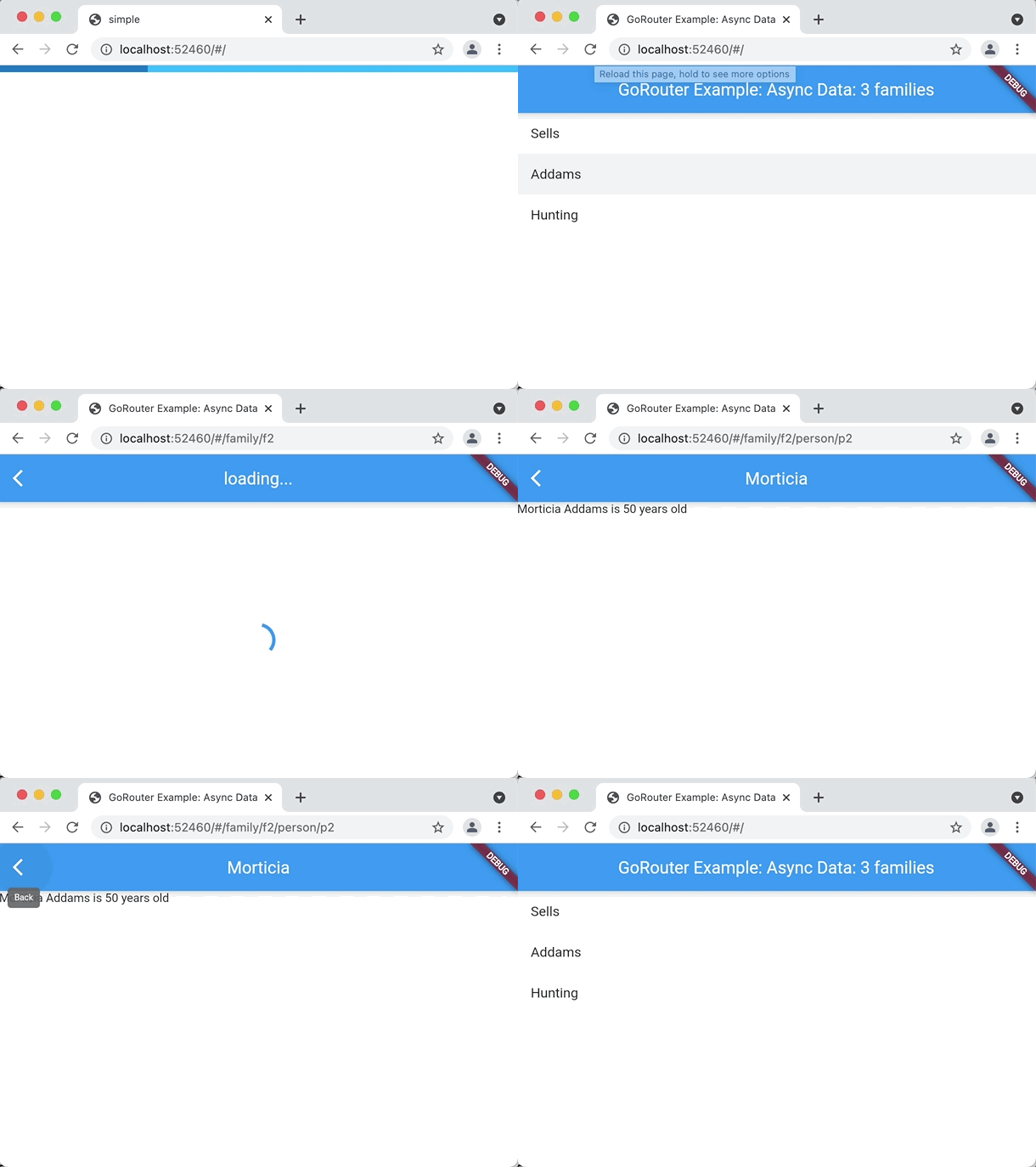 Open original recording: async data example
Take a look at the async example for the full details.
Sources & version context
GoRouter.dev documentation edition. The preserved text describes the original package APIs. Follow the current guide before using it in a new project.